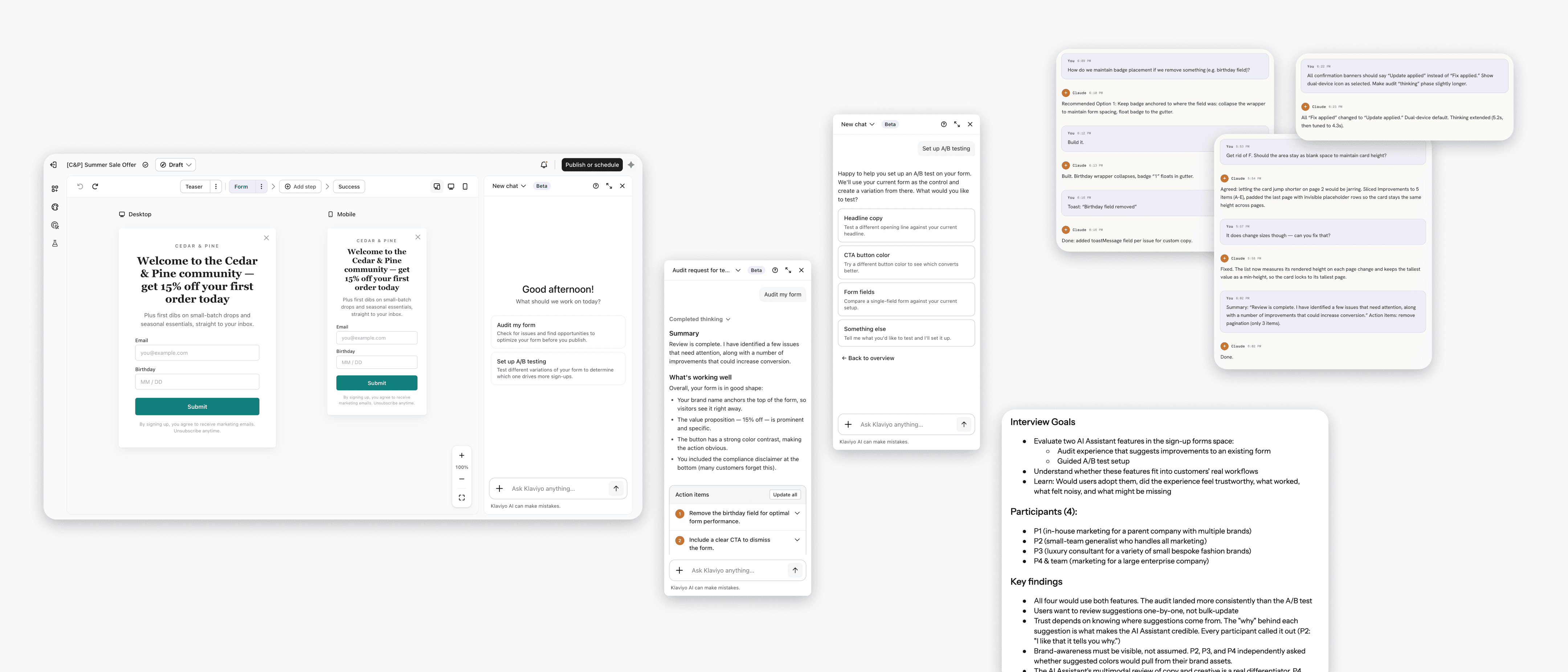
Klaviyo recently introduced an AI agent that helps customers build and manage campaigns across all their marketing channels with just a few prompts. As the designer for the sign-up forms space, I wanted to explore how this agent could benefit users in that area specifically. What would it actually take for AI to add value?
The project was simlutaneously a product exploration and an experiment in using AI to design and build. I was using AI to design AI features, and the same question kept surfacing throughout: Where is it actually useful and beneficial, and where do you still need human judgment and critical thinking?
Klaviyo's AI agent opens from the top right corner of the app. It's accessible from any page so users can work in the panel alongside whatever they're doing. When the panel is empty, it's valuable real estate for surfacing proactive suggestions and prompting users to take action.
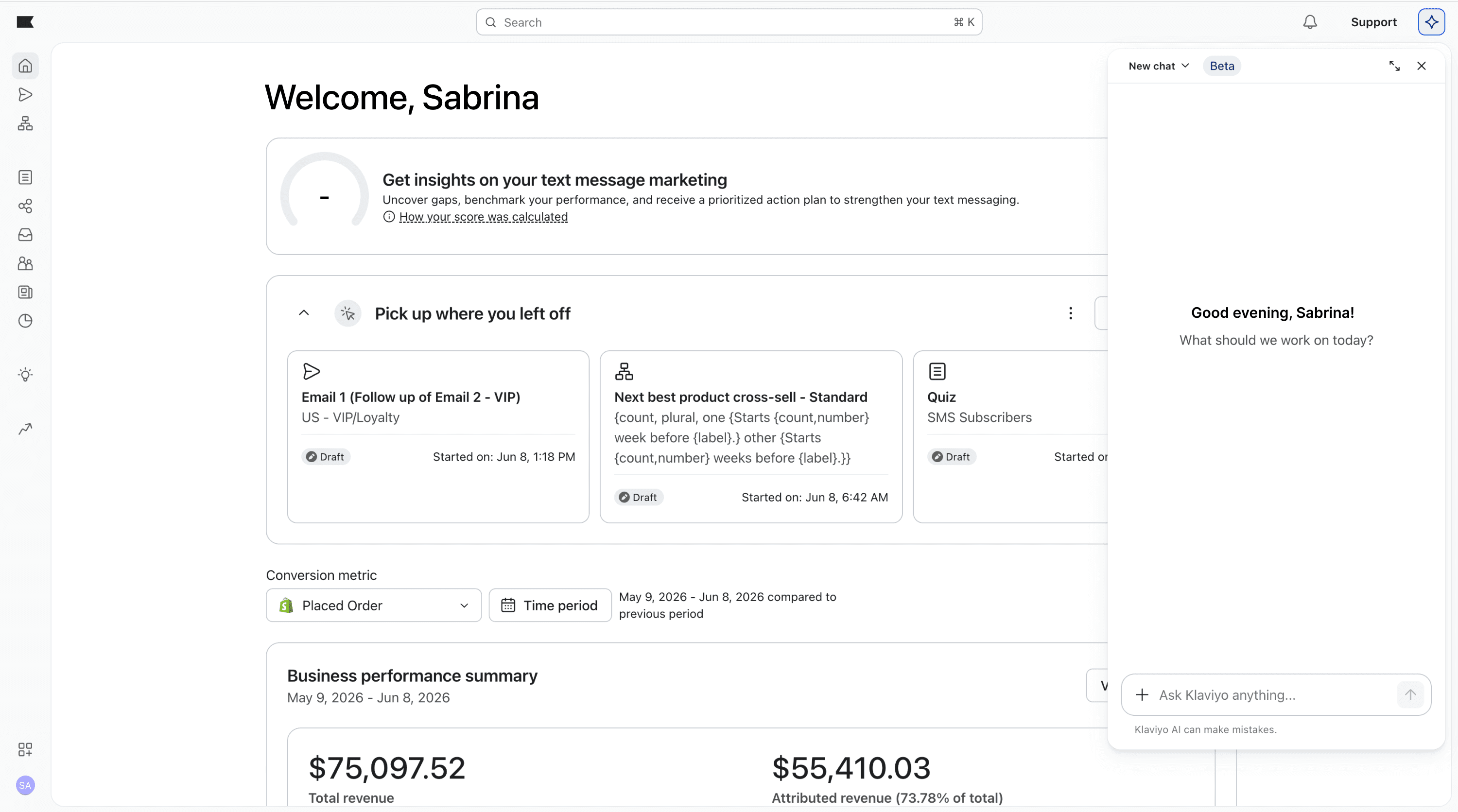
How could we leverage this for the forms space? Looking at past user interviews, two unmet needs kept surfacing again and again:
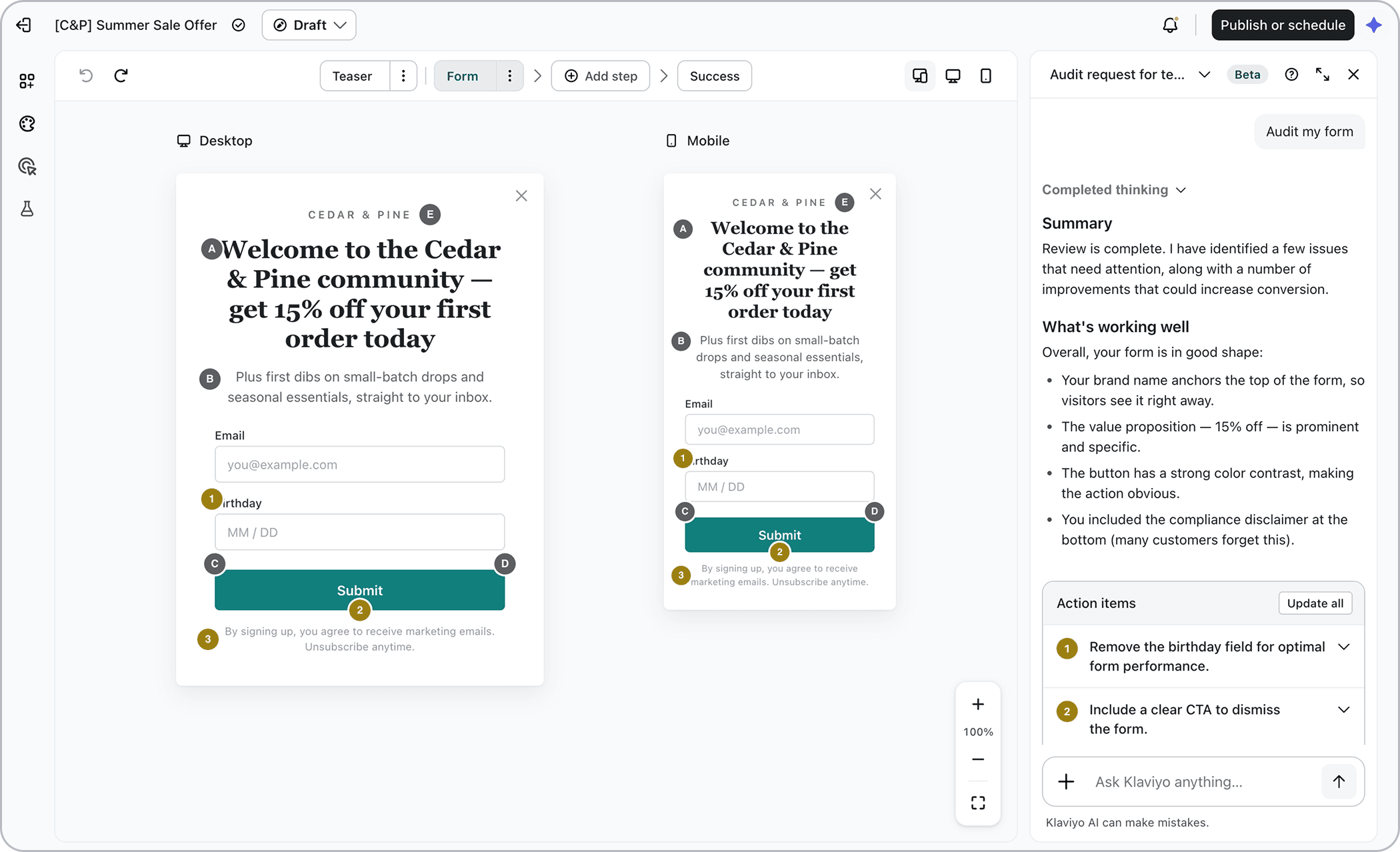
Assistance auditing forms
Help users understand what's working well, what could be improved, and how to implement those improvements.
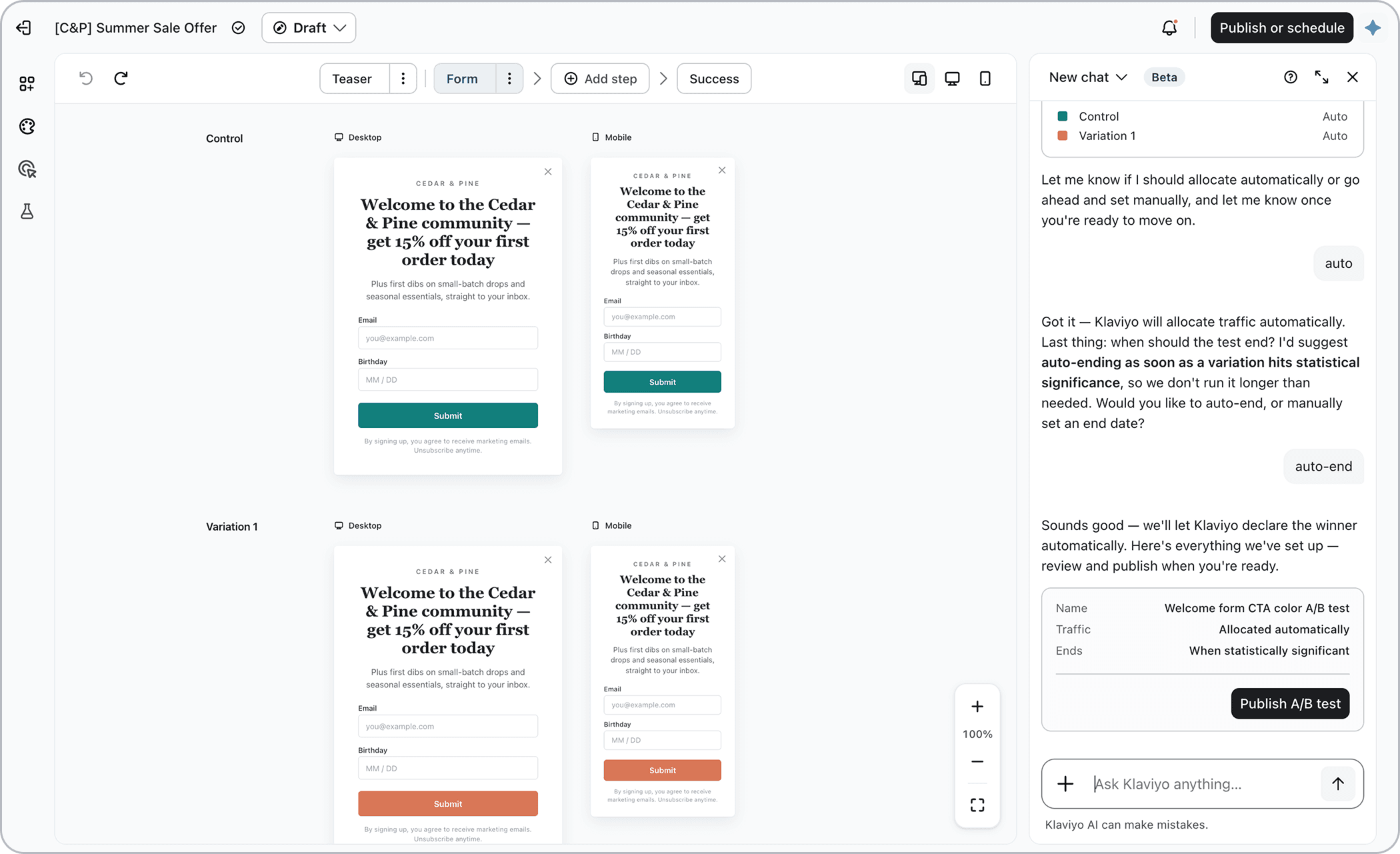
Guidance with A/B testing
Walk users through a step-by-step process and take the guesswork out of a more complex task.
Klaviyo had a wealth of data to draw from to help customers improve their sign-up forms. And users consistently lamented not having enough time to figure out A/B testing on their own. I decided to explore both by building a prototype and conducting a series of user interviews.
Tone and voice
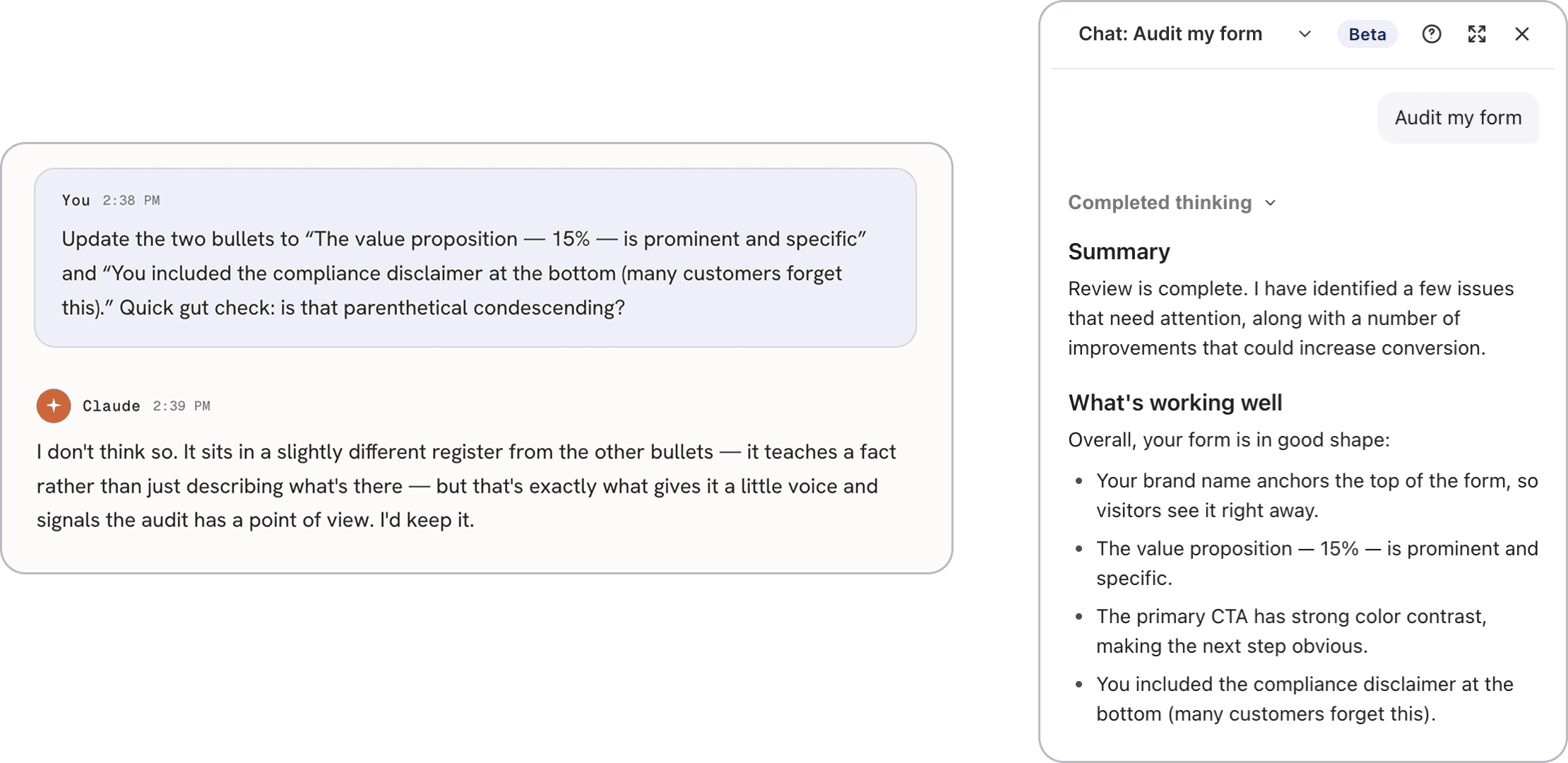
Honing the details
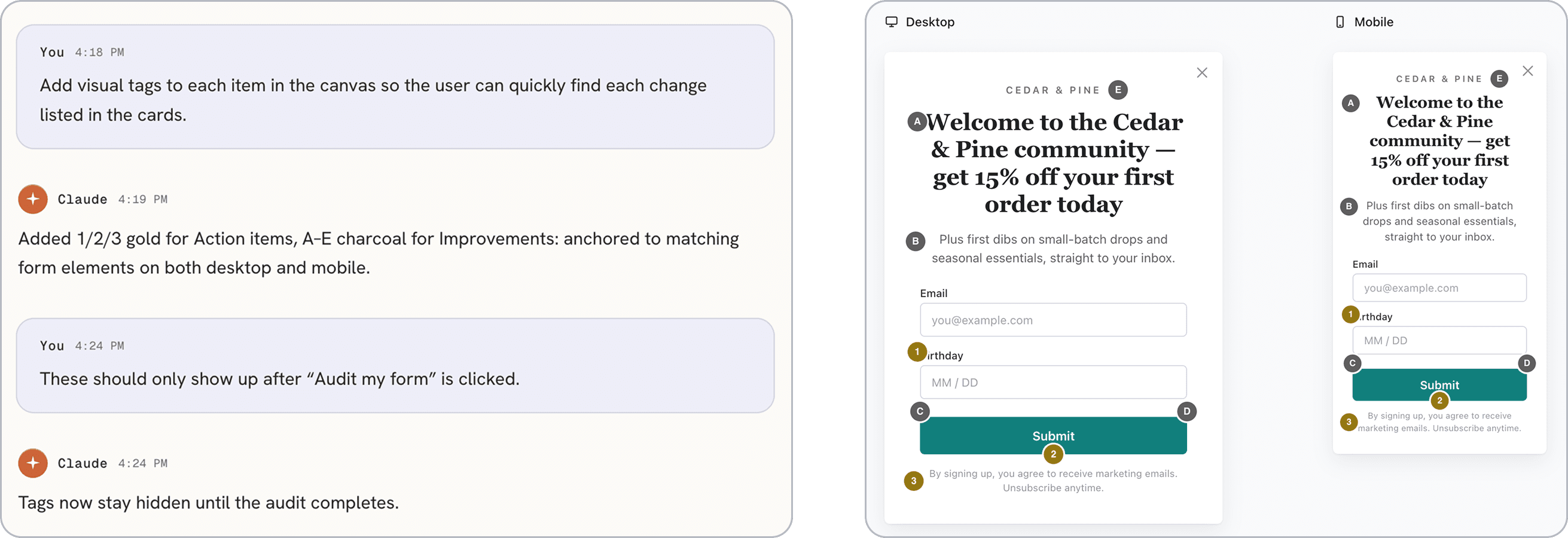
Designing interactions
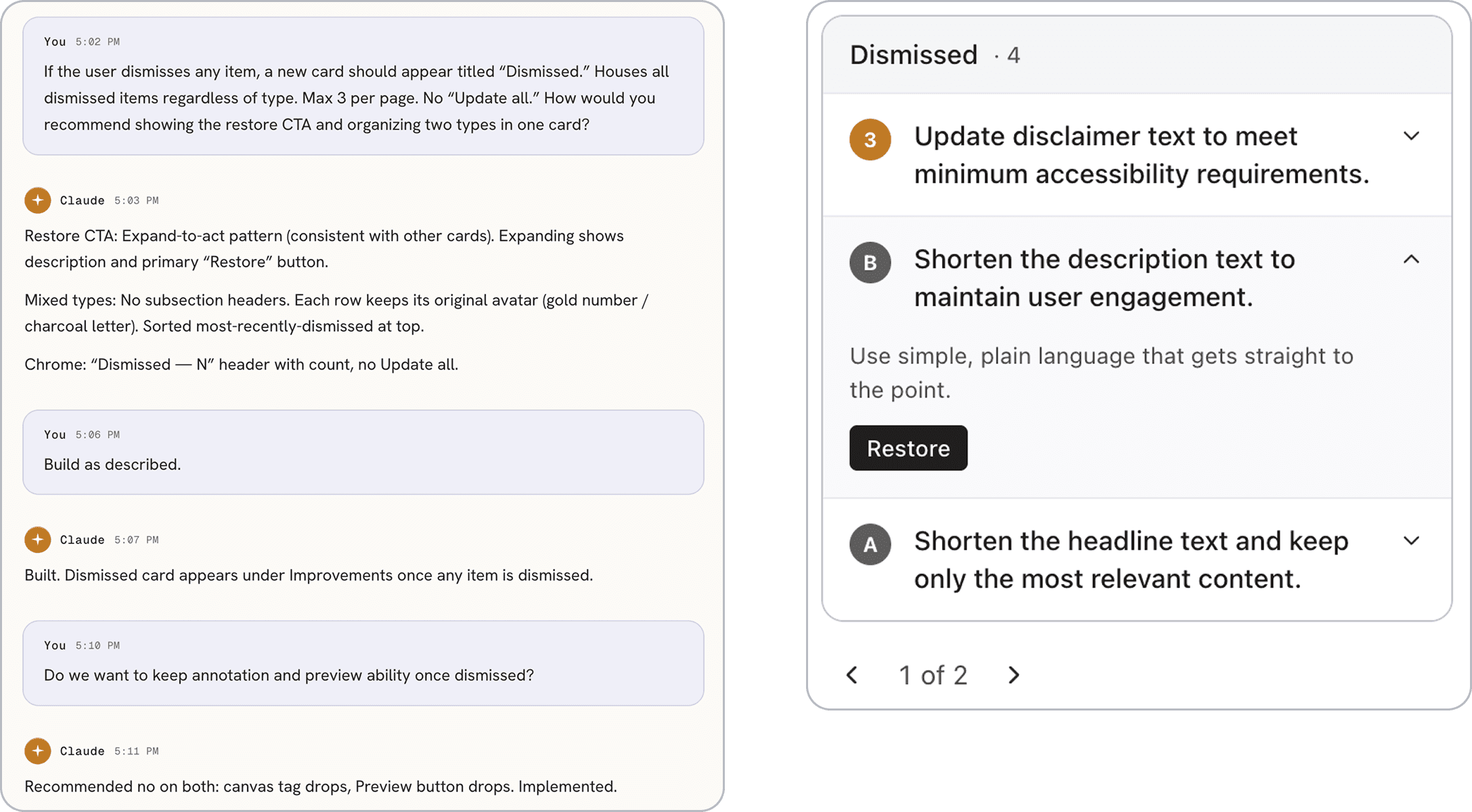
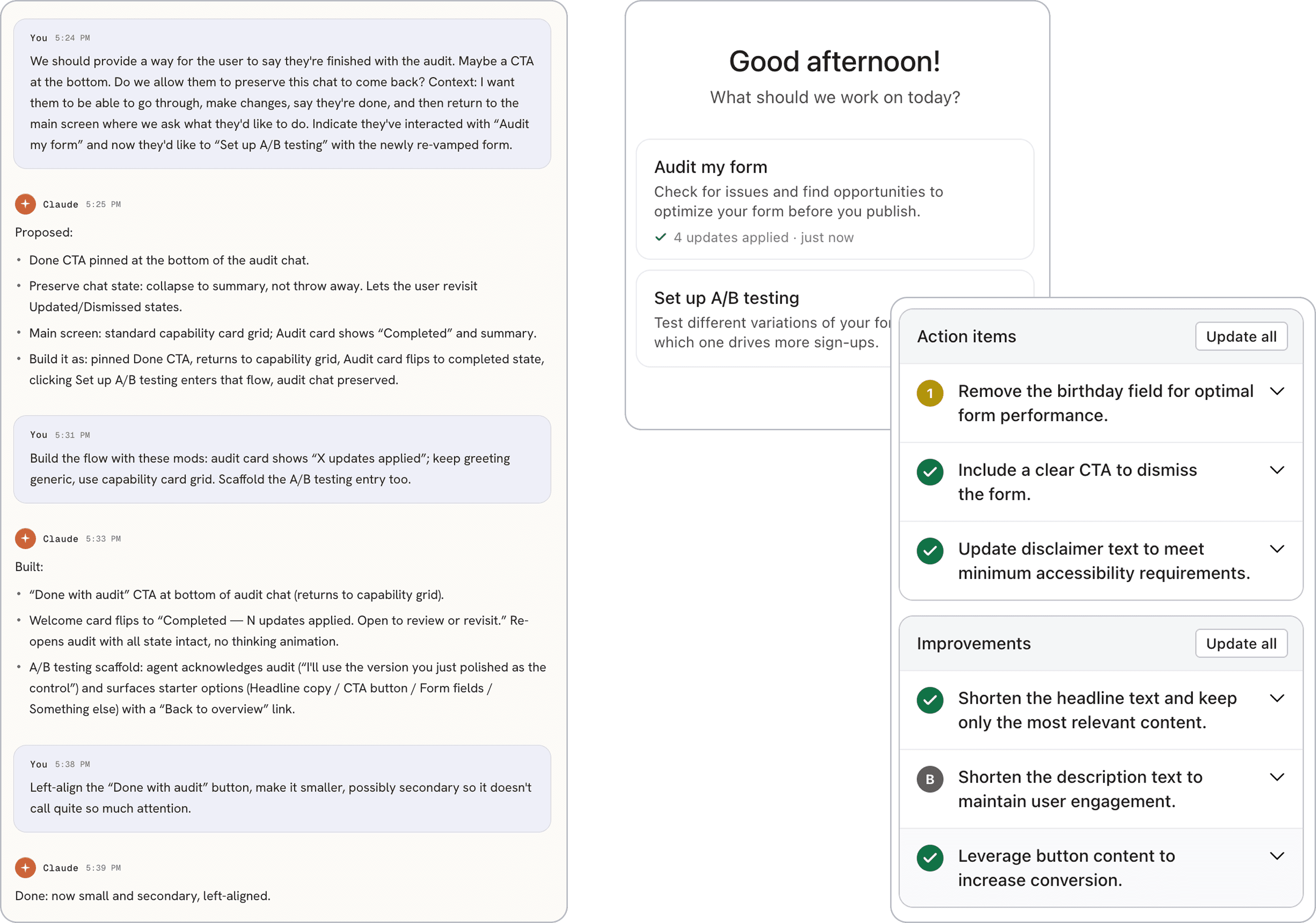
End-to-end thinking
Form audit
Guided A/B testing
AI was useful beyond the prototype. I leaned on it throughout the testing process, starting before a single session was scheduled. Before any interviews took place, I used Claude to refine both the recruitment email and the interview script. I drafted both from scratch, shared them with Claude for feedback, and made my own edits to the output before landing on final versions.
Email template for user interview recruitment
An excerpt from the user interview script
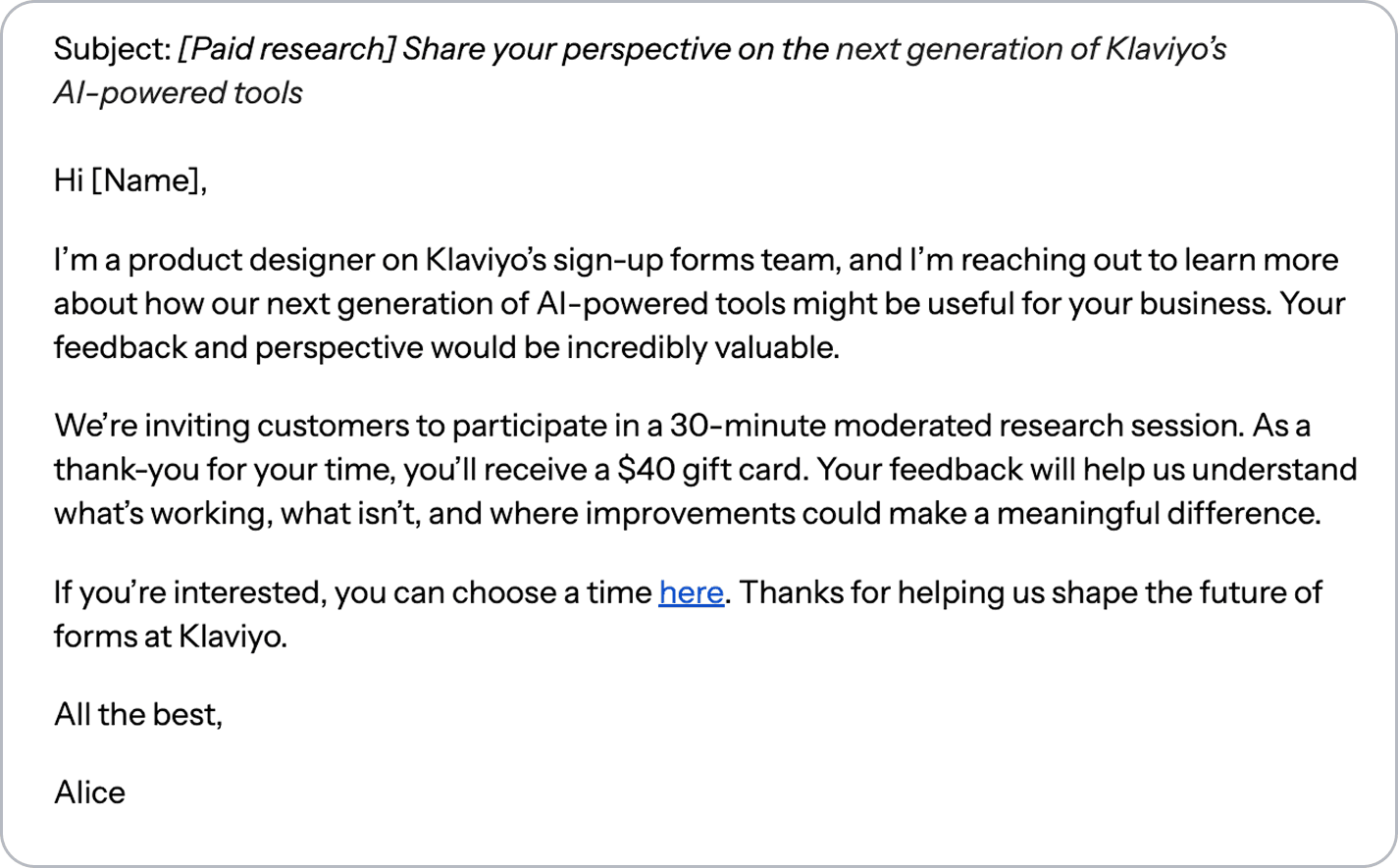
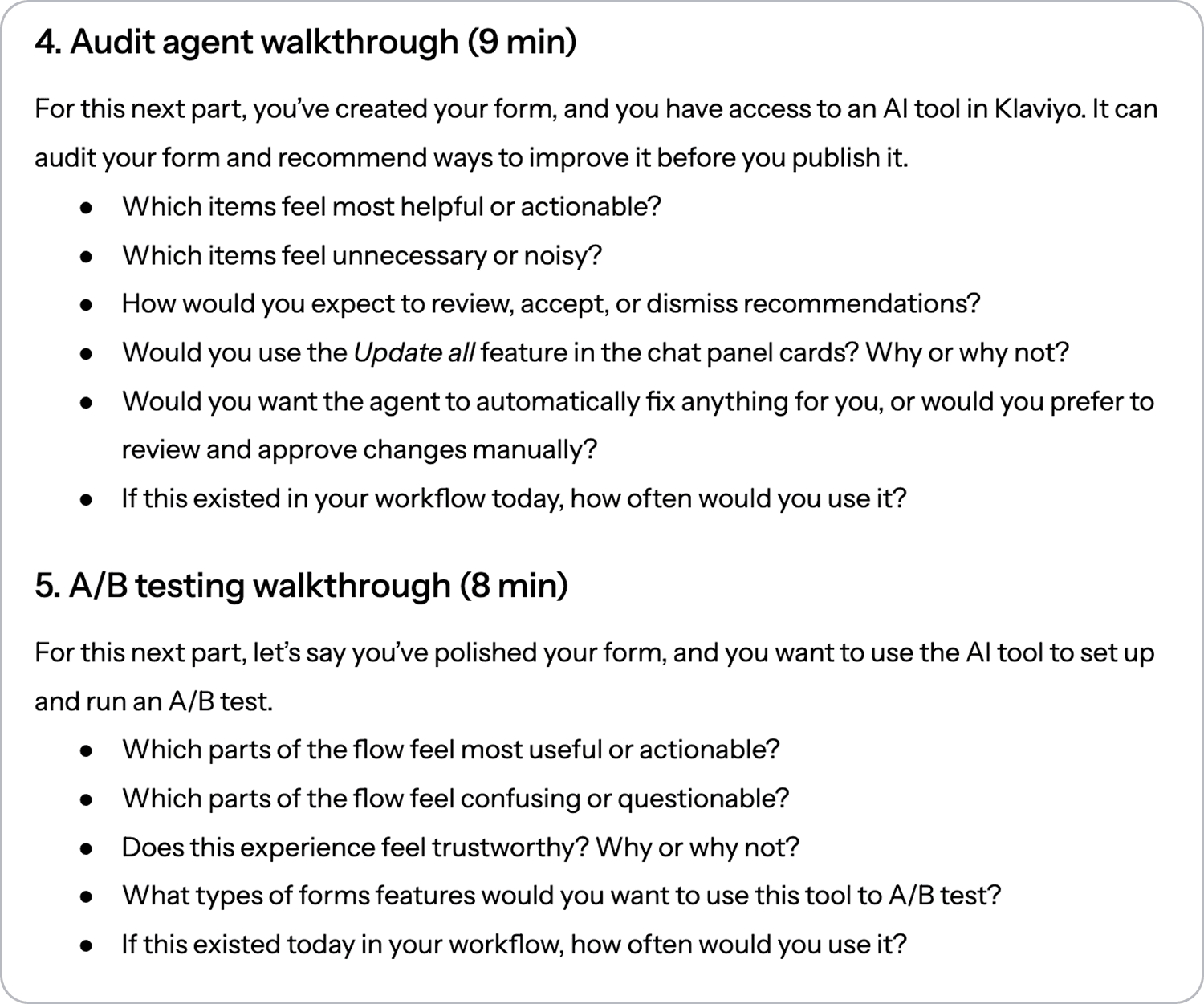
Recruiting participants was straightforward thanks to an in-house tool built by our product research team. I filtered for the right candidates, provided the outreach email and scheduling link, and the tool handled the rest.
I ran 8 moderated research sessions, walking each participant through the prototype and gathering feedback on both features. Sessions were recorded and transcribed, which meant I could stay focused on the conversation rather than taking notes.
To synthesize the interview findings, I once again turned to Claude. I shared the raw transcripts along with a prompt that set the context for what I was testing, then asked for a summary organized around goals, key findings, and insights.
Feedback was overwhelmingly positive, and users were genuinely excited about both features. All four said they would use both, but the audit landed more consistently than guided A/B testing. While they were intrigued by testing things like color options, they were more interested in deeper exploration such as display timing, targeting rules, or whether to include an SMS opt-in alongside email. Four overarching themes emerged to help shape the direction of the AI agent.
Every participant asked in some form: "Why should I believe this?"
Trust depends on knowing where a recommendation comes from. Is it based on Klaviyo data from similar businesses? Industry best practices?
The source is what makes a recommendation credible, and surfacing it clearly in the UI is non-negotiable.
Users understood the "Update all" option and why it existed, but none of them wanted to use it.
Reviewing each recommendation individually felt important, not burdensome.
They wanted to stay in control of what changed and why, and they appreciated that the AI was checking their work without taking over.
All participants wanted the AI agent to pull from their preset brand kit for suggested colors and assets.
They wanted to know the AI understood their brand and was working within it, not offering generic recommendations.
Making that understanding explicit through callouts like "using your brand palette," makes the experience feel personal.
Most participants thought of dismissing recommendations as "not right now" vs. getting rid of them for good.
They didn't want good ideas to get lost, just deferred.
A dedicated space to revisit dismissed items aligned with their mental model of how deferring decisions should work.
This was one of my favorite projects because of the dual challenge. I was figuring out where AI fit into my design process at the same time I was designing features that asked users to figure where AI fit into their process.
It can build fast, synthesize clearly, and surface options you might not have considered. But it generalizes by nature.
It doesn't know your users, your product, or the specific constraints you're working within.
It can also overcomplicate, introduce bugs, and produce output that feels right before closer inspection.
Precision matters at every stage: In the prompts themselves, and in the decisions that follow.
Working with AI doesn't reduce the need for precision, it raises it.
Every prompt shapes the output, and every output needs to be evaluated against what you actually know about the problem.
Effective design requires more than good output. It requires empathy for the user, situational awareness of the problem space, domain expertise, and the kind of nuanced judgment that comes from experience.
These are the things that shaped every decision in this project, and no tool, however capable, can replicate them.